
X post scheduling
Manage scheduled X posts on a calendar.
In GrowX you write a post for X, pick a date and time, and check your schedule on a calendar. Threads, quote posts and posts with images or video can be scheduled too. Register fixed posting times as slots, and just drop posts into an open slot.
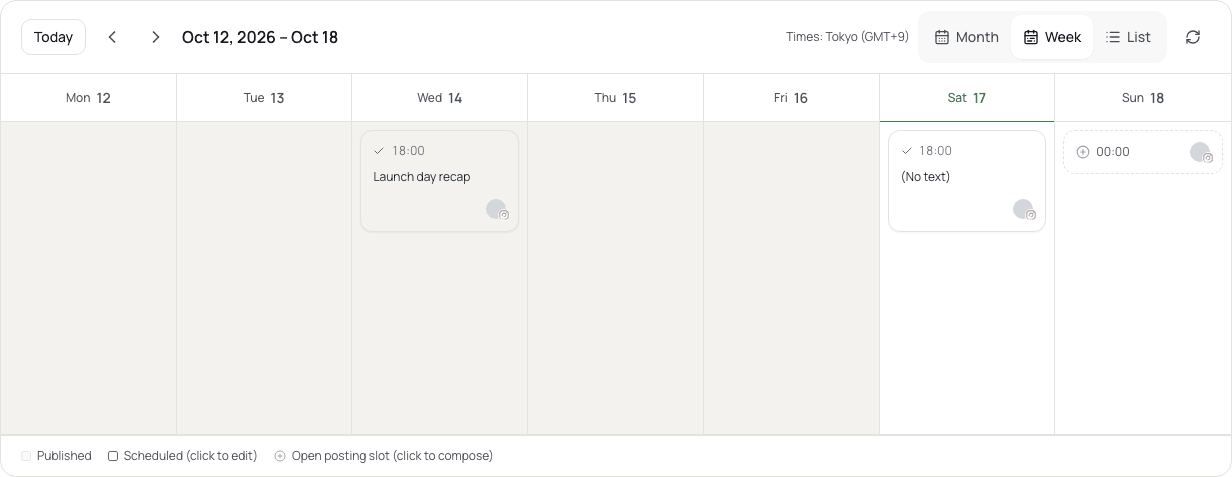
What you can do
Write, pick a time, schedule
Write your post while checking the preview, then schedule it for a date and time. You can also keep it as a draft.
Threads, quotes, images and video
Schedule threads of connected posts, quote posts, and posts with images or video.
Post at fixed times with slots
Register your daily posting times as slots and schedule posts into open slots.
Check and edit on the calendar
See scheduled posts on the calendar, change the text or time, or cancel them. If a post cannot be published, it is shown as failed so you can pick a new time and schedule it again.
You can also schedule posts in a conversation from AI apps such as Claude or ChatGPT (MCP integration, Standard and above).
See MCP integrationPlans
Scheduling features by plan. The values match the pricing page.
| Feature | Free | Standard | Pro | Premium |
|---|---|---|---|---|
| Posting | ||||
| Compose & drafts | Included | Included | Included | Included |
| Scheduling calendar | Included | Included | Included | Included |
| Scheduled posts*2 | 3 | 30 | 100 | 300 |
| Posting slots | Unlimited | Unlimited | Unlimited | Unlimited |
| Media posts (images & videos) | Included | Included | Included | Included |
| Quote reposts & threads | Included | Included | Included | Included |
- *2 Simultaneous reservations per social account. Each thread counts as one, including deliveries in progress and automatic retries. Completed or cancelled reservations free capacity.
FAQ
How many posts can I have scheduled at once?
It depends on your plan and is counted per social account (see the table above). A thread counts as one. A slot frees up when a post is published or cancelled.
Can I edit a scheduled post?
Until it is published, you can change the text, images or time, or cancel the post.
What if a scheduled post fails?
It is shown as failed on the calendar and on Home. Check the reason, pick a new time and schedule it again.
More features
Get started with your email or Google.
Import posts, write drafts and schedule publishing. See the pricing page for available features and limits.
Free plan at ¥0 · Upgrade anytime